Deals on Getgems
What are Deals?
Deals let you swap NFTs directly with another Getgems user.
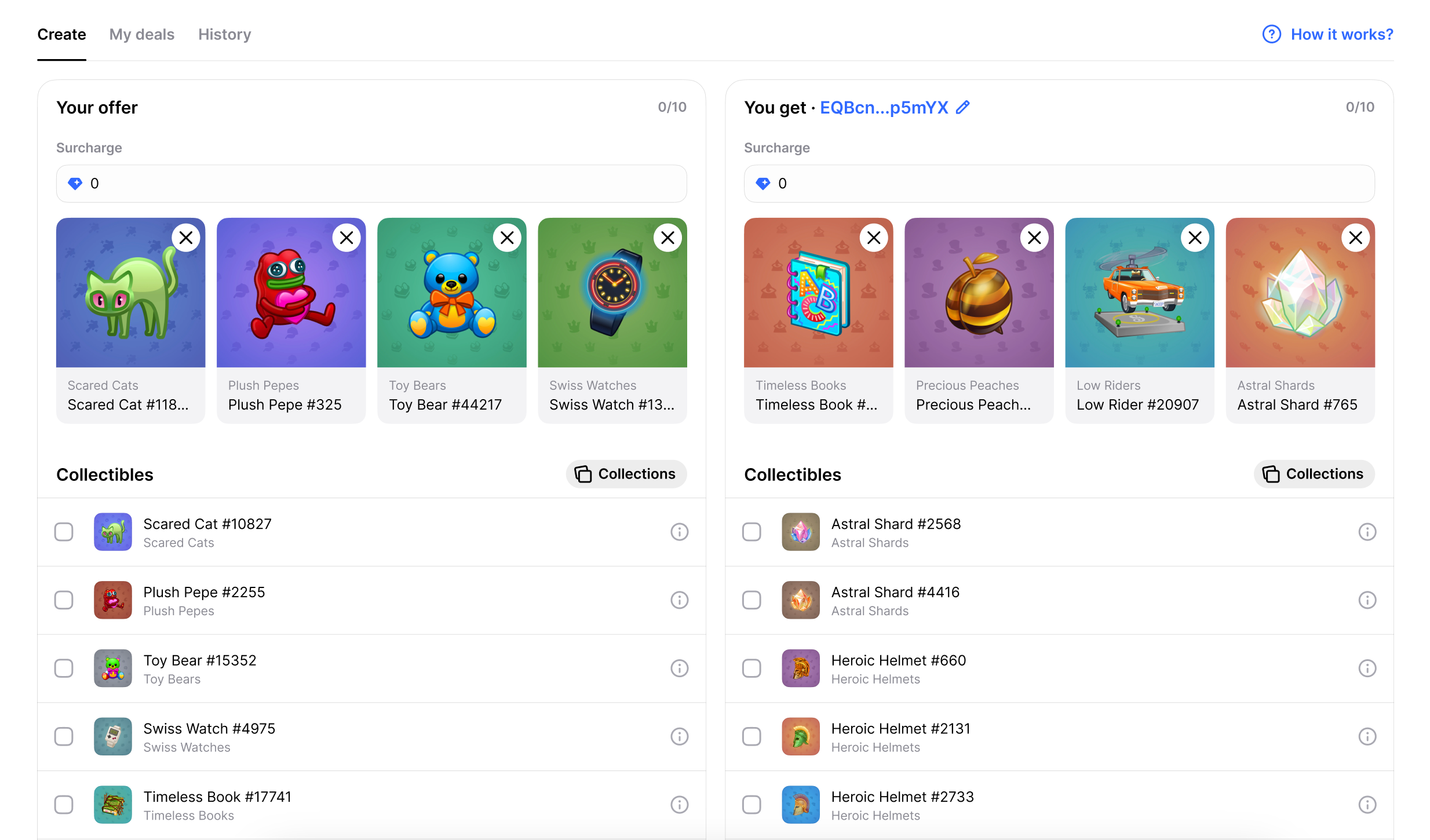
You can offer one or more NFTs in exchange for other NFTs, and add a GRAM top-up on either side if needed.
Each Deal is created for a specific wallet, so only the intended recipient can accept it.
You can also make a swap offer for an NFT that isn’t listed for sale.
How do I create a Deal?
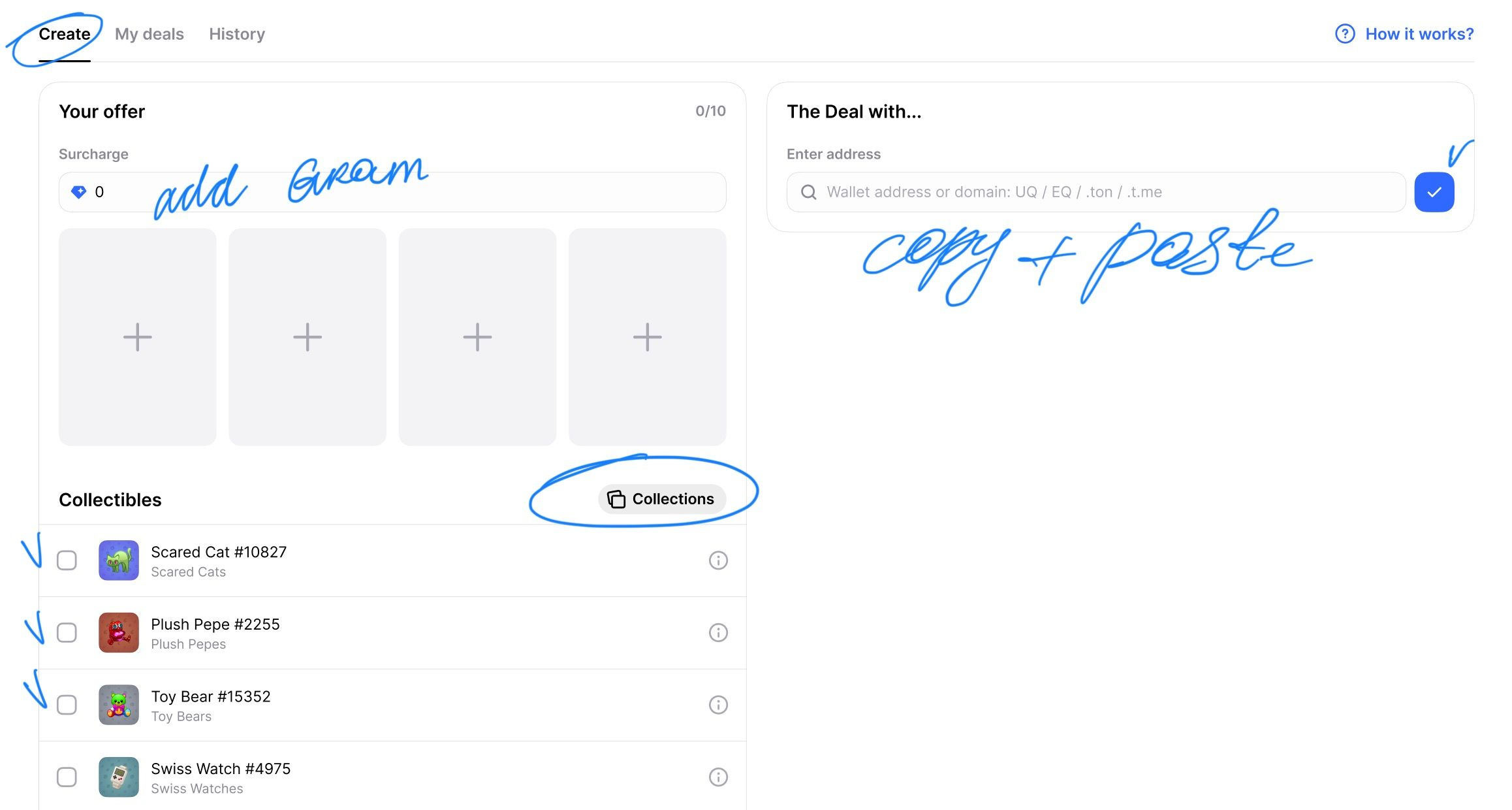
- Enter the wallet address of the person you want to trade with.
- Choose the NFTs you’re offering and the NFTs you want in return.
- Add a GRAM top-up on either side if needed.
- Review the Deal and confirm the transaction.
- Once the Deal is created, your NFTs are sent to the Deal smart contract while it waits for the other party.
Once a Deal is created, its terms can’t be changed. If you want to swap different NFTs or change the top-up amount, cancel the Deal and create a new one.
How do I accept a Deal?
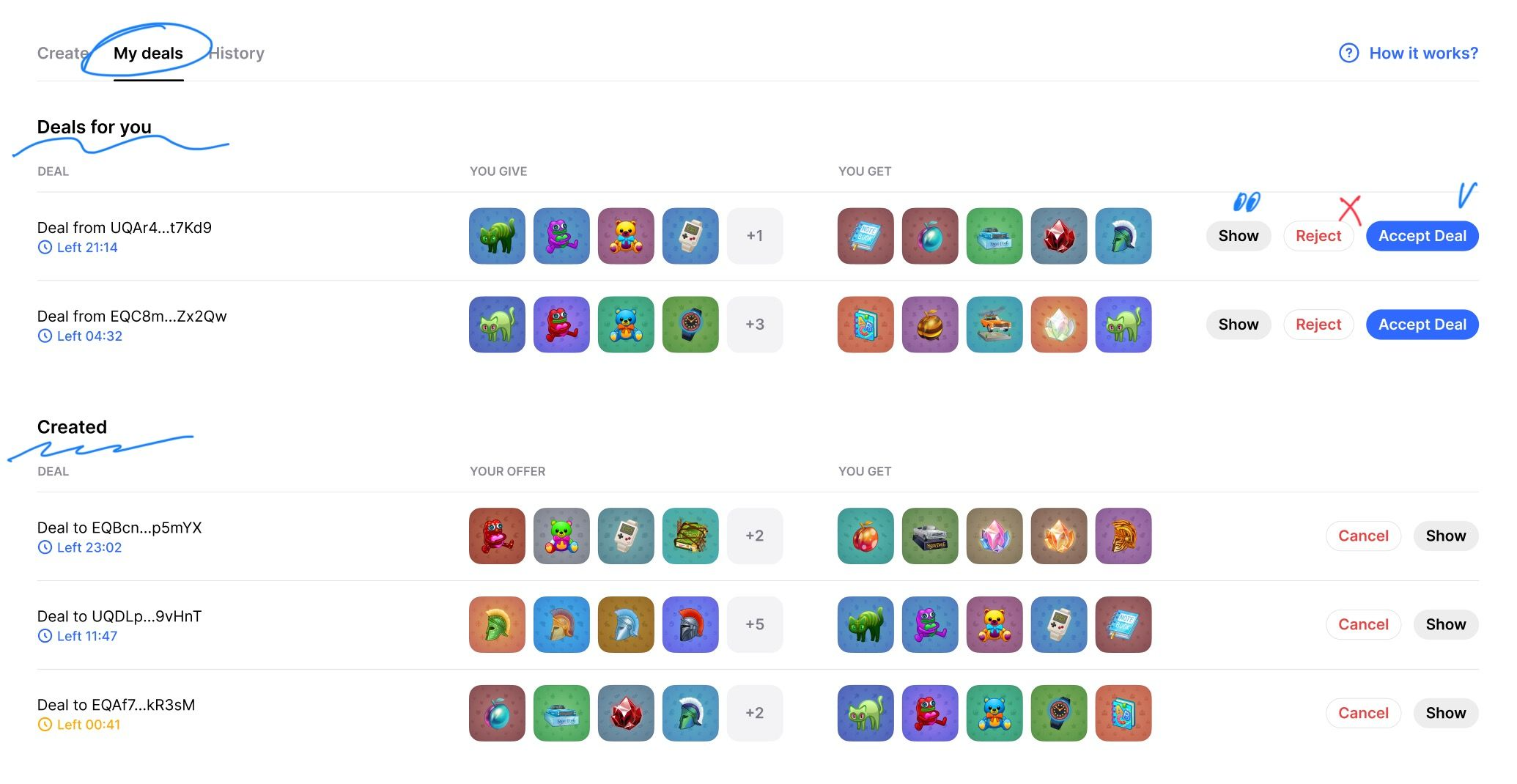
- Open the Deal from the link you received, or find it in the Deals section of your profile.
- Review what you’re sending and what you’ll receive, including any GRAM top-up.
- If everything looks good, accept the Deal and confirm the transaction.
- Once all required assets have been received, the swap is completed automatically.
The NFTs are sent to their new owners, and any GRAM top-up goes to the receiving side.
Can I cancel a Deal?
Yes. A Deal can be cancelled any time before the swap starts.
If it isn’t accepted before it expires, 24 hours by default, it will be cancelled automatically.
Any NFTs and unused funds already sent to the Deal will be returned to their owners.
What are the fees?
- A 1% fee is charged on the GRAM top-up.
- The owner of each NFT pays around 0.04 GRAM per NFT to cover the on-chain operations required for the Deal.
- If there’s no GRAM top-up, there’s no percentage-based fee.
- If a Deal is cancelled or expires, the swap fee isn’t charged. Network fees that have already been spent are non-refundable.
Always check the final amount in your wallet before confirming a transaction.
Do Deals count toward trading volume?
No.
Deals are NFT swaps, not regular sales, so they don’t affect:
- collection trading volume;
- floor price;
- last sale;
- collection sales stats.
A GRAM top-up in a Deal also isn’t treated as the sale price of a specific NFT.
Which NFTs can I use?
Deals are available for verified and supported NFTs on Getgems.
Some collections may be temporarily unavailable because of how their contracts or transfer mechanics work.
If an NFT isn’t supported, Getgems won’t let you add it to the Deal.
What if an NFT has already been sold or transferred?
Getgems checks NFT ownership again before a Deal is created or accepted.
If one of the required NFTs has changed hands, the Deal can’t be completed. You’ll need to cancel it and create a new one with the current NFTs.
Where can I find Deals?
You can create a new Deal here:
Deals are also available directly from NFT pages for items that aren’t listed for sale.
If an NFT is already listed, you can send an offer instead and name the price you’re willing to pay.
Stay careful with links
People may send you Deal offers directly in private messages. That’s not unusual, but you should always verify the link before connecting your wallet or confirming a transaction.
- On mobile: press and hold the link to preview the actual destination.
- On desktop: hover over the link and check where it really leads.
Some message formats may not show a link preview, so don’t rely on the visible text alone.
Make sure the link actually points to getgems.io and hasn’t been disguised with a similar-looking domain.
We also recommend avoiding QR codes sent by strangers in private messages. In most cases, they should be treated as suspicious.
When creating a Deal, double-check the other person’s wallet address as well. If you’re pasting it manually, the safest option is to copy it from the blockchain or directly from their Getgems profile.